No sign-up · 9 note types · Reminders
Notes, to-dos and appointments in one app.
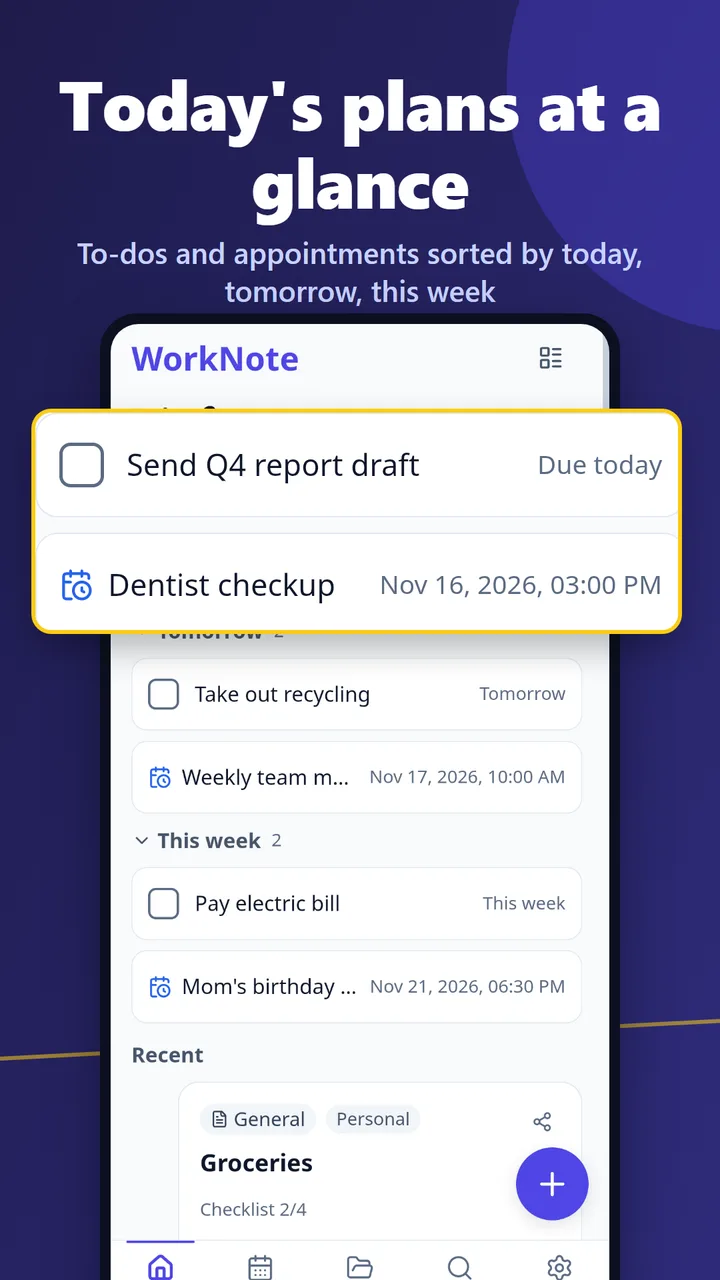
Today's plans on your first screen.
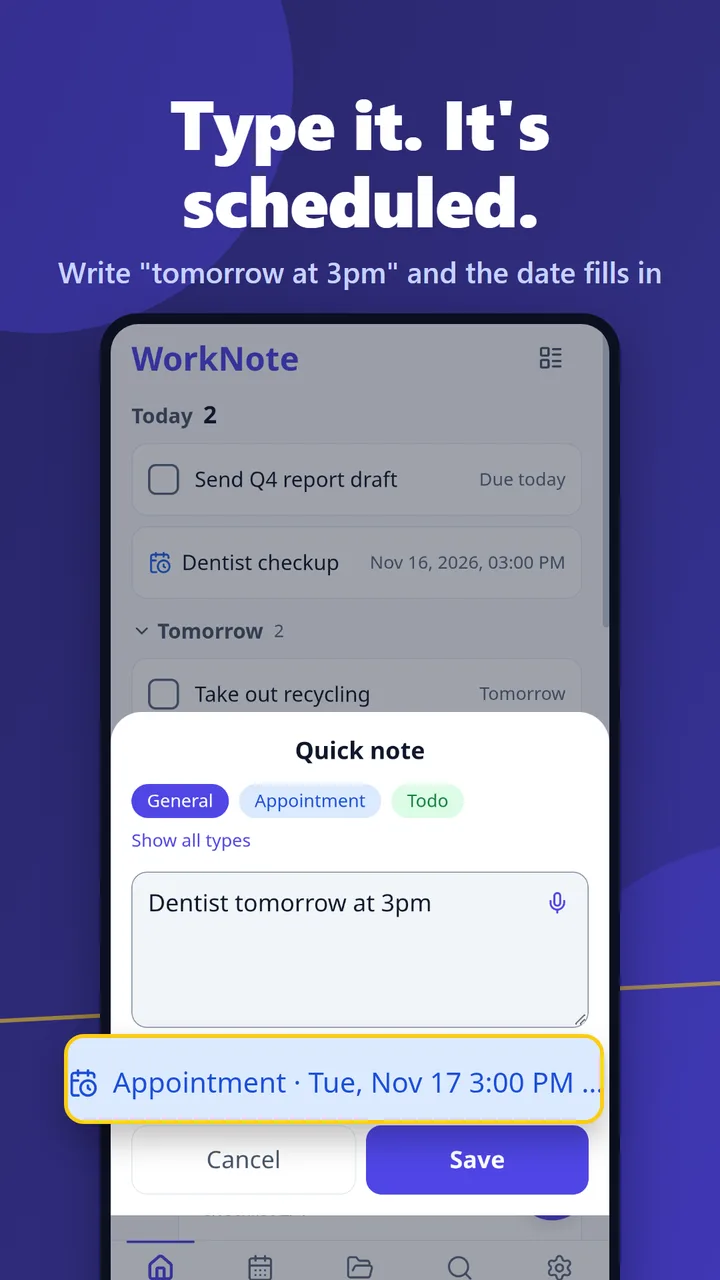
Stop jumping between a notes app, a to-do app and a calendar. Type "Dentist tomorrow at 3pm" and it becomes an appointment with a reminder.
Android only · Core features free (with ads)
What is WorkNote?
WorkNote (멀티메모장 in Korean) is an Android notes app for people who want their to-dos, appointments and notes in one place. There's no sign-up, and everything is stored only on your phone. It has 9 note types (general, to-do, appointment, idea, summary, goal, work, experience and event), shows today's, tomorrow's and this week's plans on the first screen, and includes a calendar, reminders, home screen widgets and auto backup. The app is available in 27 languages, including English.
Why written-down plans still get missed
Your apps are scattered
Notes in one app, tasks in another, plans in a calendar. First you have to remember where you wrote it.
Notes don't remind you
Writing "Friday 3pm" in a note doesn't help if nothing tells you when Friday 3pm comes.
Sign-up comes first
You just want to jot something down, but the app asks for an account and sync settings.
Type a line and see if it becomes a plan
This uses the same rules as the app's quick note. It runs only in your browser and nothing is sent anywhere.
Result
Based on: (this device's time). For reference only. In the app you see the result as a chip before saving and can remove it.
Save this plan and get reminders (free app)What you can do
Today view
To-dos and appointments for today, tomorrow and this week on the first screen.
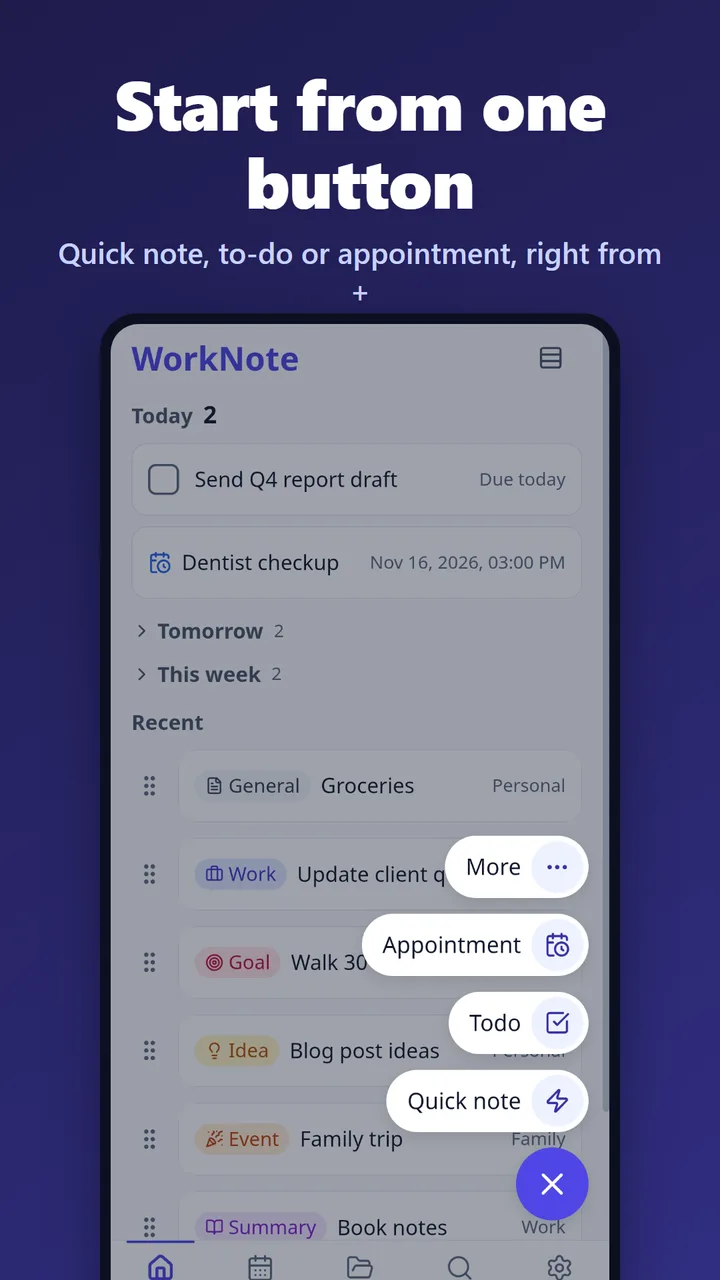
Quick note with date detection
Write straight from the + button. "Tomorrow at 3pm" becomes a date and time.
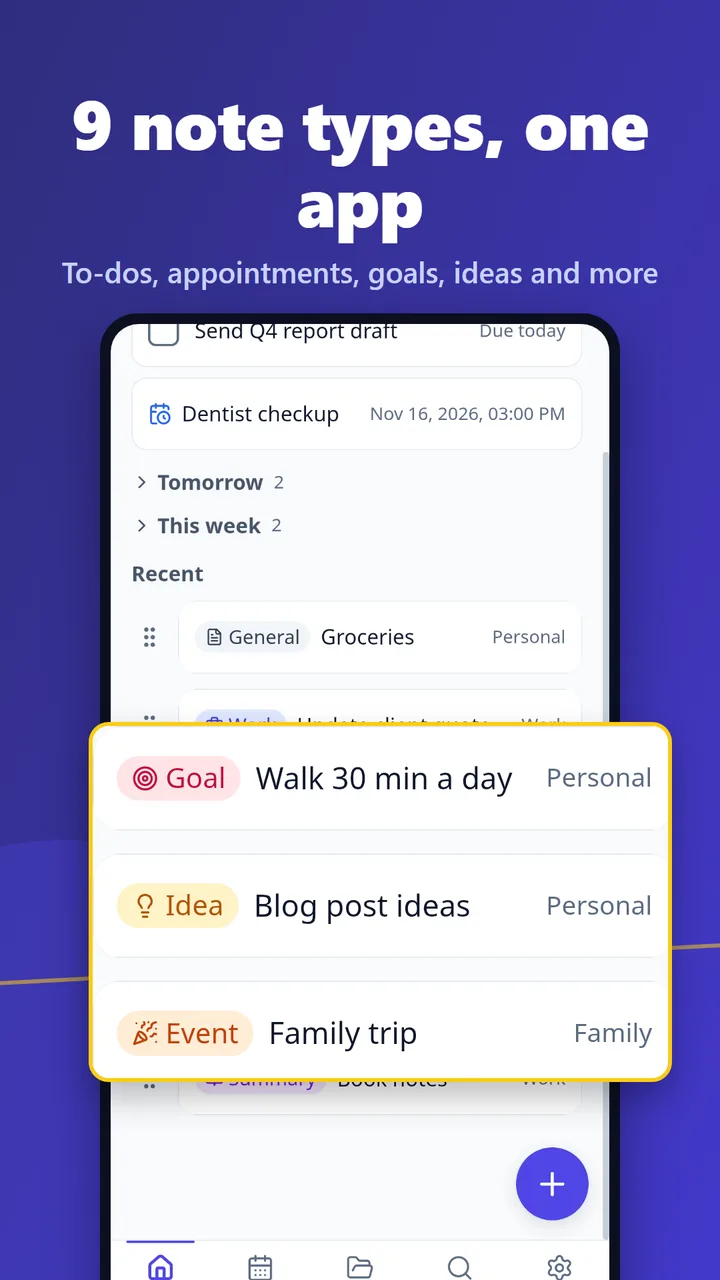
9 note types
General, to-do, appointment, idea, summary, goal, work, experience and event.
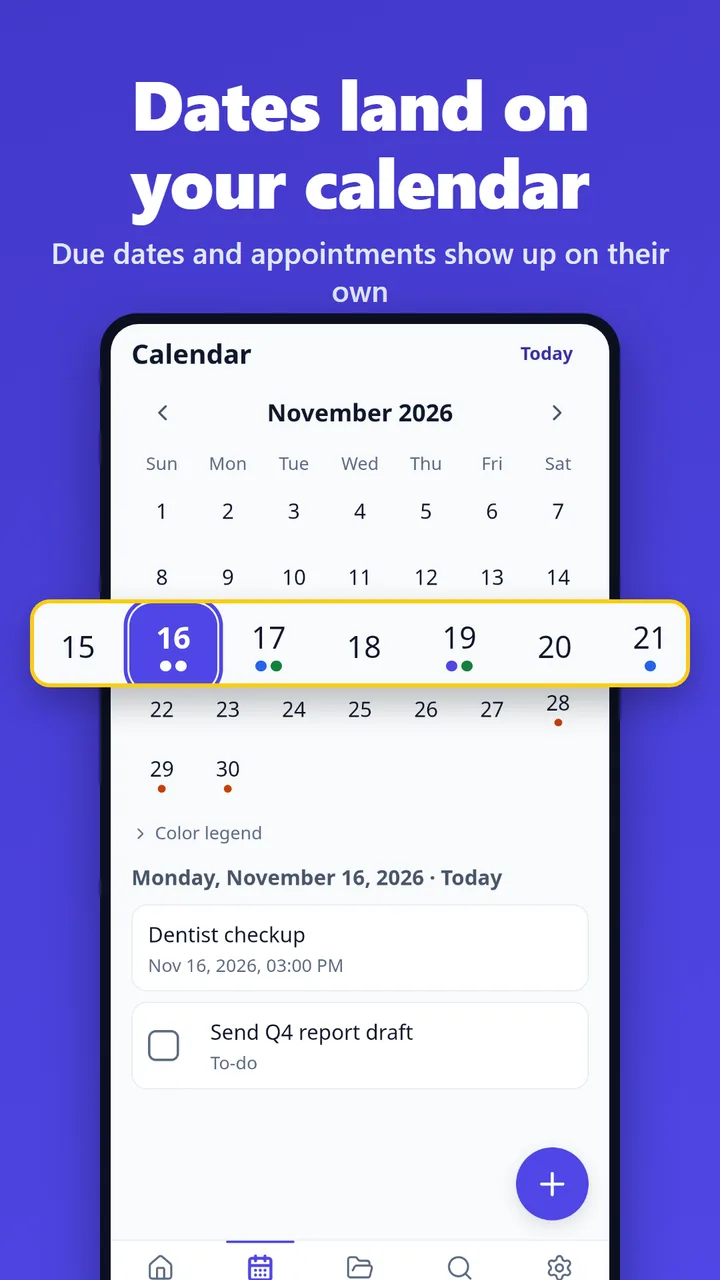
Calendar
Due dates and appointments show as dots. Tap a day to see its plans.
Reminders and repeats
Before appointments, on due dates, and repeating daily, weekly or monthly.
3 home screen widgets
Quick note, today's agenda and a sticky note.
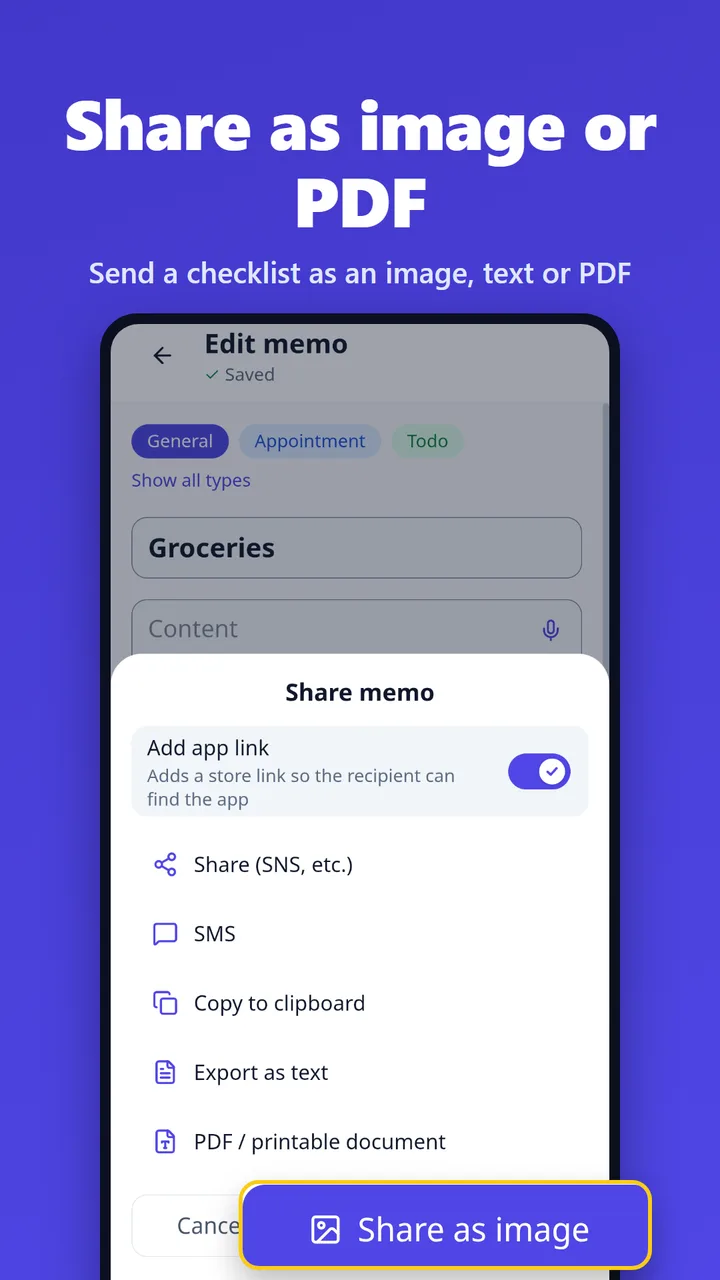
Sharing
Send as an image card, text, SMS or a PDF/printable document.
Checklists, photos, voice input
Shopping lists, photo attachments and dictation with your phone's speech recognition.
Import from other apps
Bring in zip, txt and md files exported from other notes apps.
Screenshots
Your notes stay on your phone
No account, no server storage
Notes and photos are stored only on your phone and never sent to our servers. The only thing we receive is a message you choose to send us.
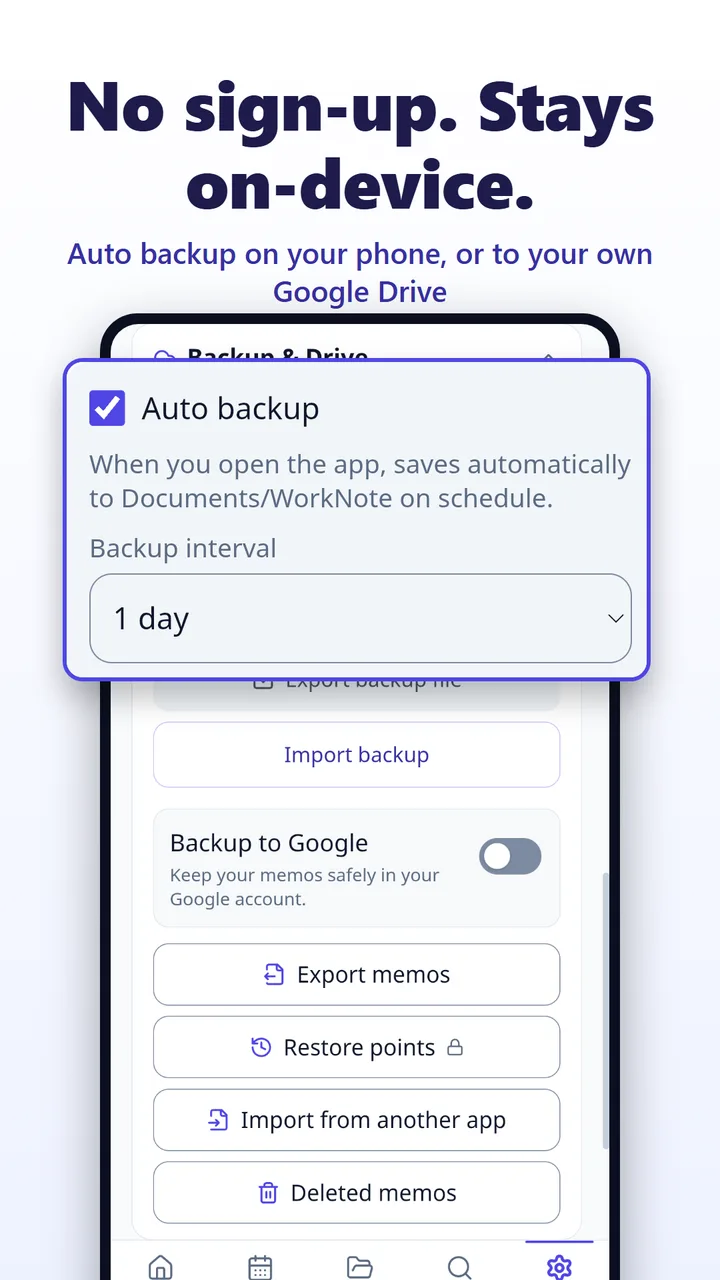
Auto backup
Saves to your phone's Documents/WorkNote folder every 1, 3, 7 or 30 days, and optionally to your own Google Drive (the app only sees files it created).
Locks
Password for secret notes, app lock and biometric unlock. With app lock on, screenshots are blocked too.
15-day trash
Deleted something by mistake? Restore it from the trash within 15 days.
See the Privacy Policy for details.
Pricing
Core features are free (with ads). Pick Pro only if you want more.
Core
$0
All core features, with ads, 5 photos and 1 reminder per note
Pro monthly
$1.49
Renews every month
Best value
Pro yearly
$9.99
About $0.83 a month · free trial where available
Pro lifetime
$14.99
One-time purchase
Pro: no ads, 20 photos per note, up to 5 reminders per note, unlimited bulk export, custom repeats, templates and themes. Theme Pack on its own: $1.99. Prices may vary by country and are shown in your local currency on Google Play. Payment and refund terms follow our Terms of Service.
FAQ
Do I need an account?
No. Install it and start writing. There's no account, and your notes stay on your phone.
Is there an iPhone version?
Not yet. WorkNote is only available for Android on Google Play.
Can I move my notes to a new phone?
Yes. Export a backup file in Settings or use backup to your own Google Drive, then restore on the new phone.
Does typing 'tomorrow at 3pm' really create an appointment?
Yes. When a quick note has a date or time, WorkNote saves it as an appointment or a to-do. It currently understands English, Korean and Japanese, and shows the result as a chip before saving, so you can remove it if it's wrong.
Are there ads? What does Pro add?
The core app works with ads. Pro removes ads and adds 20 photos per note, up to 5 reminders per note, unlimited bulk export, custom repeats, templates and themes. It's $1.49 a month, $9.99 a year (free trial where available) or $14.99 once for lifetime access.
Reminders arrive late or not at all.
Reminders depend on your phone's notification permission, the 'Alarms & reminders' permission and battery optimization settings. Check the reminder status in the app's Settings and allow what it asks for.
Write down one thing for today
Install it and tap +. That's it. No sign-up needed.
Get it free on Google Play